How to Create a Website for a Business: 3 Routes, 3-Year Cost and a Checklist
You can create a website for a business in three ways: on your own in a website builder (Webflow, Framer, Wix, Squarespace), on your own with WordPress, or by hiring a freelancer or agency. A builder is a fixed subscription, in November 2026 from 10 to 25 USD a month billed yearly, plus a domain. WordPress is free, but hosting, plugins and updates are on you. A freelancer or agency usually costs from a few thousand to over ten thousand PLN net and saves your time. Whichever route you take, the domain and accounts should be registered to the company.
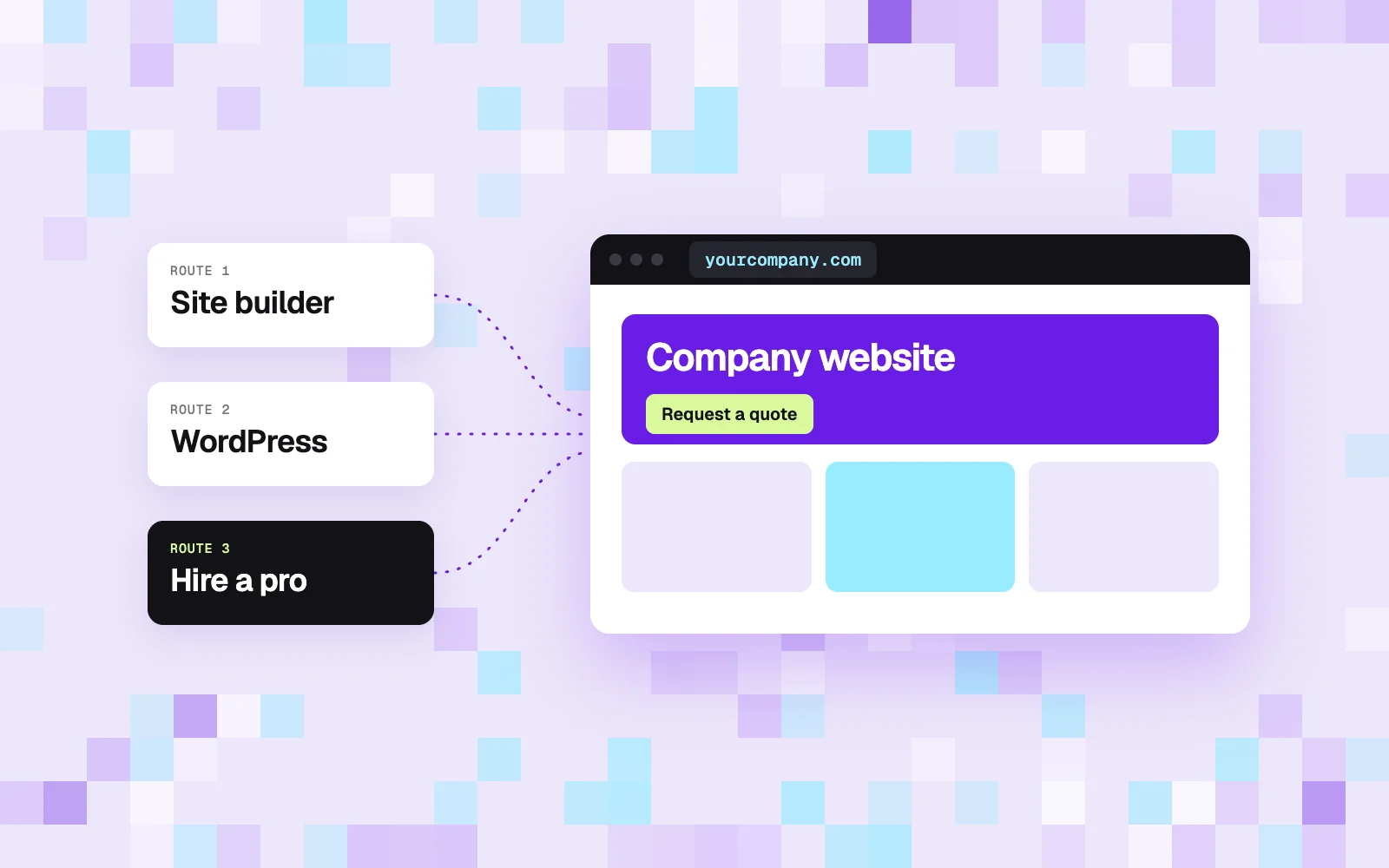
How do you create a website for a business? You have three routes: a website builder where you click the site together yourself, WordPress on your own hosting, or a freelancer or agency that does it for you. Each one works. They differ in what you pay every month, how much time you give up and who is responsible for the site afterwards. Below is a comparison of all three on November 2026 prices, with the cost over 3 years and a checklist before launch.
I read the five guides that ranked highest for this question in Polish search. All of them were written by builder vendors, hosting companies or sites with affiliate links. None of them counts the cost beyond the first year, none says who the domain should be registered to, and none cites the cookie rules with a source.
To be upfront about myself: my name is Max Miskow, I have been building business websites in Webflow, Framer and code for 5 years, with more than 30 projects behind me. I make my living from the third route. That is why I give a source for every number and say plainly when it is better to build the site yourself.
How to create a website for a business: the short answer
The simplest way to create a website is a website builder: you pick a template, add your content, connect a domain and publish. It is a good route for a business that needs a few pages and has time to write the copy. When the site has to bring in inquiries, have many pages or connect to other tools, hiring a freelancer or agency usually ends up cheaper overall.
In Poland, a business website is still not a given. According to Eurostat, in 2025 67.1% of Polish companies with at least 10 employees had their own website, against an EU average of 79.0%. Among companies with 10 to 49 employees, the figure was 63.1% in Poland and 76.7% in the EU.
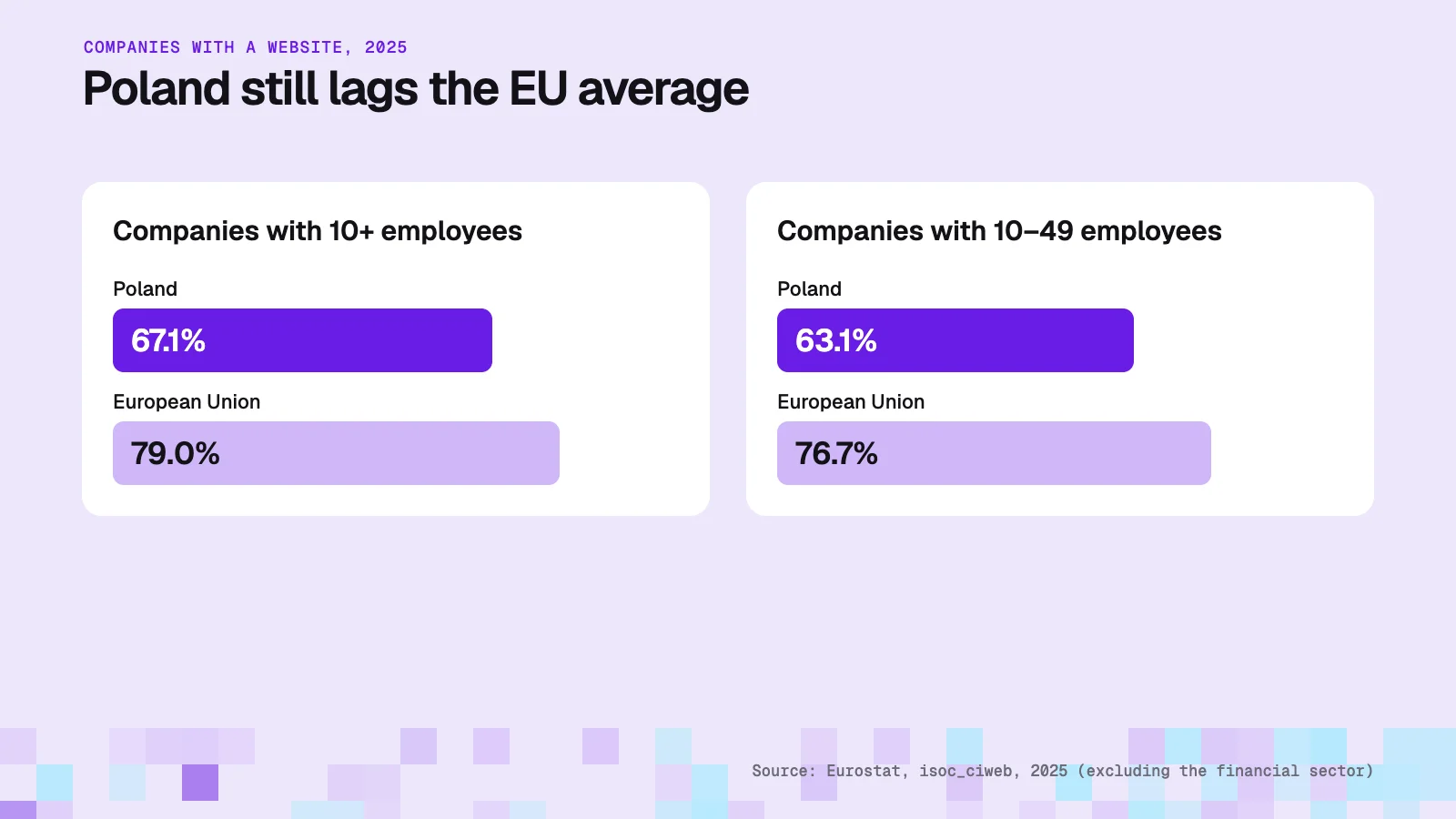
So roughly one in three Polish companies of that size has no website a customer can find on Google. If you are in that group, any of the three routes below is a step forward.
What popular guides say, and what they leave out
Before you start, it helps to know who writes the guides on how to create a website. The five articles that most often ranked for this question in Polish search in November 2026 look like this:
| Guide author | Who they are | Routes covered | What is missing |
|---|---|---|---|
| Orange | Telecom operator, sells its own builder | Builder only | Prices, WordPress, legal rules |
| Shoper Learn | Part of the cyber_Folks hosting group | Builder and agency | WordPress, cost after the first year |
| Website Planet | Site with affiliate links | Builder and WordPress | Hiring a pro, total cost, prices in PLN |
| Shopify | E-commerce platform | Builder, mainly for stores | Plan prices, time, legal rules |
| Hostinger | Hosting company | Its own builder and WordPress | Hiring a pro, cookies and GDPR |
Each of them has a stake in the answer, and that is fine. Just keep in mind that each recommends the route it earns from. So do I, which is why you can check every price below through the links.
Three routes: a builder, WordPress or hiring a pro
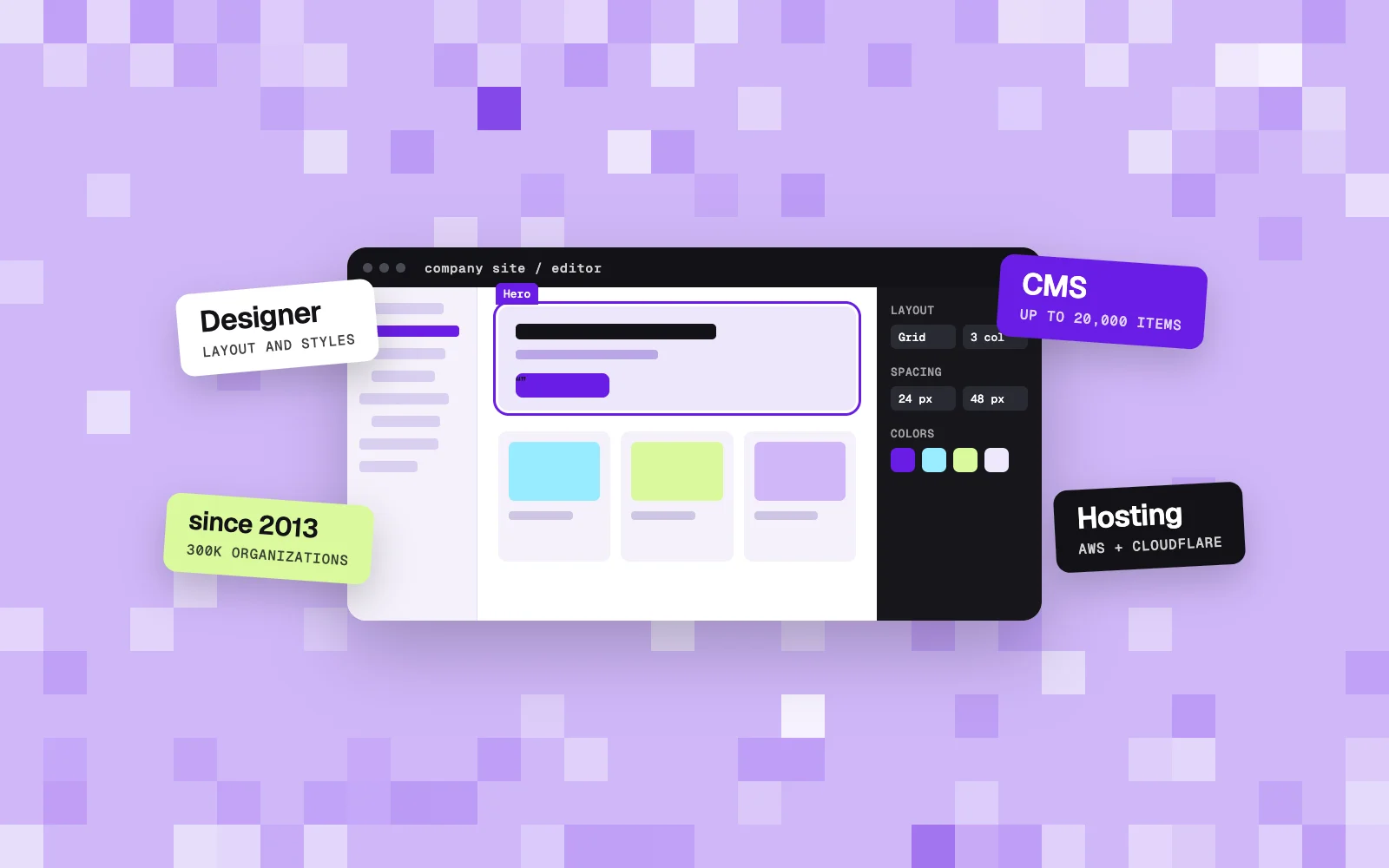
A website builder is a paid browser-based service where you design the site from ready-made blocks, and hosting, backups and security are included in the subscription. WordPress is a free content management system that you install on rented hosting and extend with plugins. Hiring a pro means a freelancer or agency designs and builds the site on one of those tools or in code.
Popularity can be misleading. According to W3Techs, WordPress runs 38.5% of all websites in the world and holds 57.5% of the CMS market. That means it is easy to find someone who knows it. It does not mean it will be the simplest option for you.
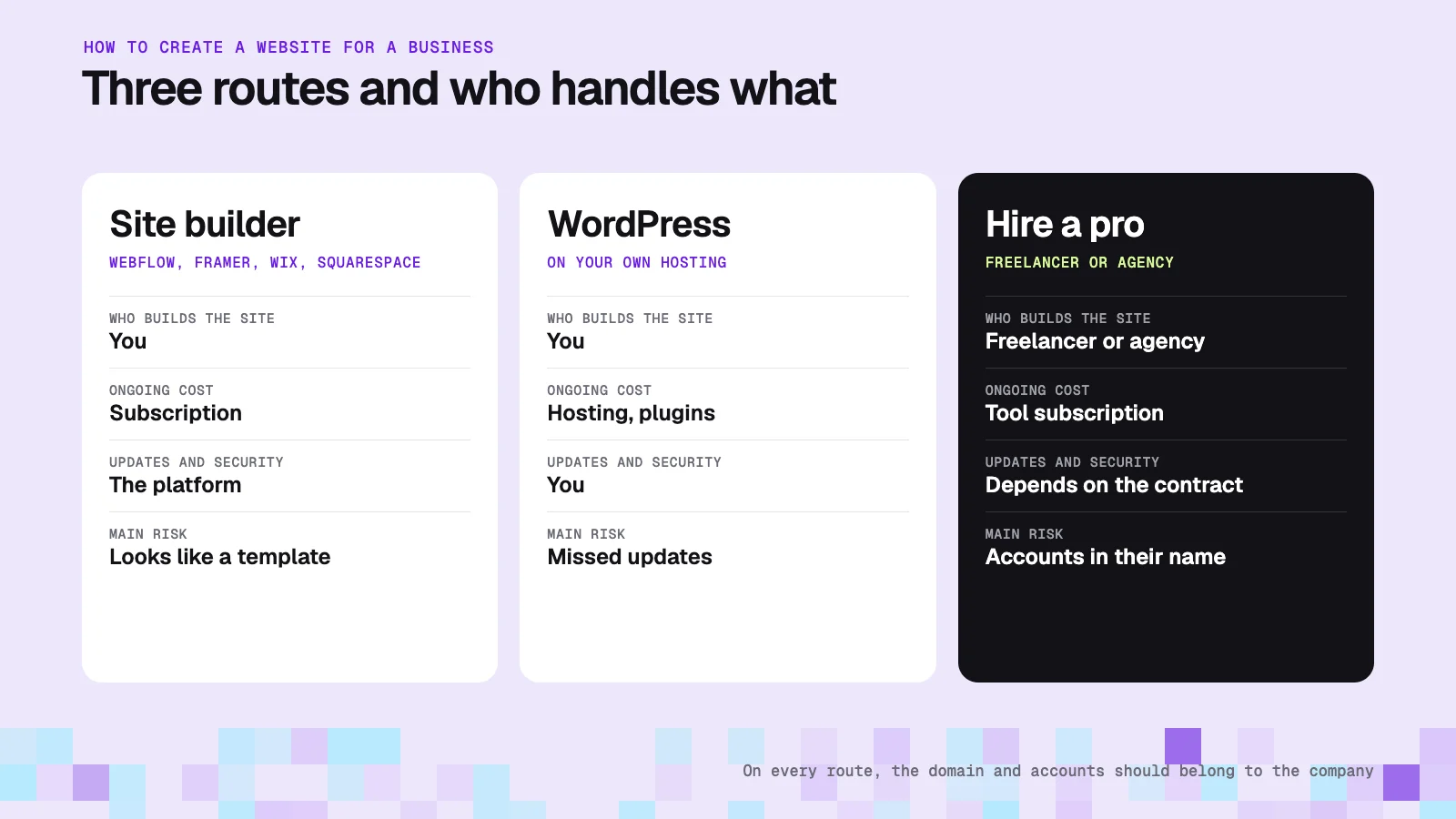
The table shows how these routes differ in practice.
| Criterion | Builder (Webflow, Framer, Wix, Squarespace) | WordPress on hosting | Freelancer or agency |
|---|---|---|---|
| Who builds the site | You | You | A freelancer or agency |
| Upfront cost | PLN 0 apart from your time | PLN 0 for the software, paid hosting | From a few thousand to over ten thousand PLN net |
| Ongoing cost | Monthly or yearly subscription | Hosting, paid plugins, updates | Tool subscription plus optional maintenance |
| Who handles security | The platform | You, or a company you hire | Depends on the contract |
| Design flexibility | Medium (Wix, Squarespace) to high (Webflow, Framer) | High, but through plugins | Whatever you order |
| Biggest risk | The site looks like a template | Missed updates and hacks | Domain and accounts registered to the contractor |
Where to create a website
Where to create a website depends on what it has to do. A brochure site with a few pages: a builder. A site with a blog and case studies that your team will edit itself: Webflow or Framer with a CMS. A store with hundreds of products or a customer portal: WordPress with WooCommerce or a dedicated e-commerce platform. This article is about a business website, not an online store.
How to make a website in a website builder
To make a website in a builder, you create an account, pick a template, swap in your text and photos, buy a plan with a custom domain and publish. Technically it is a one-day job. Most of the time still goes into the content: what you offer, to whom, what it costs and how to get in touch.
Steps worth doing in this order:
- Write the content before choosing a template. Your offer, a short company description, 3–5 case studies, contact details. The template should fit the content, not the other way round.
- Choose a builder. Webflow and Framer give the most design freedom, Wix and Squarespace are simpler to start with.
- Buy the domain separately or through the builder. What matters is that the owner (registrant) is the company, not the person setting it up.
- Build 4–6 pages. Home, services, case studies, about, contact. You can add more later.
- Set up the contact form and check that messages arrive in the right inbox.
- Add a privacy policy and cookie notice (details below).
- Publish and submit the site to Google through Search Console.
Plan prices, checked on November 16, 2026 on the vendors' websites:
| Builder | Plan for a business website | Price billed yearly | Notes |
|---|---|---|---|
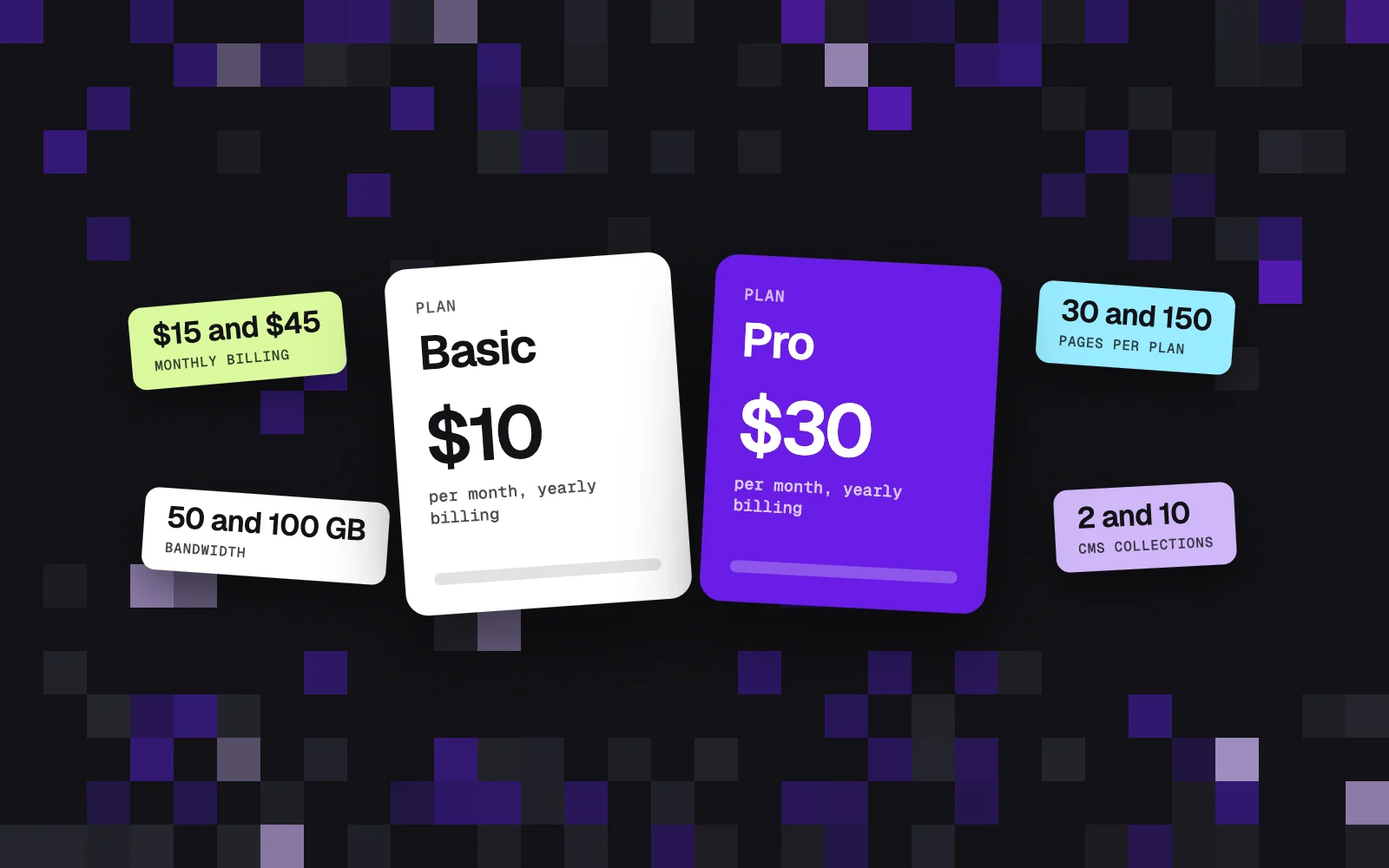
| Webflow | Basic | 15 USD / month | No CMS, for simple sites |
| Webflow | CMS | 25 USD / month | Blog, case studies, job listings |
| Framer | Basic | 10 USD / month | Small site |
| Framer | Pro | 30 USD / month | Larger site, CMS |
| WordPress.com | Personal | 4 USD / month (9 USD billed monthly) | Prices exclude taxes |
| WordPress.com | Premium | 8 USD / month (18 USD billed monthly) | More design options |
Webflow and Framer do not state on their pricing pages whether the amounts include VAT, so expect tax to be added at checkout. I do not list Wix prices, because its plans page shows prices that depend on the country and they could not be checked from a Polish location.
Creating a website for free
Creating a website for free is possible, but there is a catch. Free builder plans publish your site at an address with the platform's name rather than your own domain, and usually display their logo. That is enough to test an idea. It is not enough for a company website you send to clients with a quote.
What you can get for free is a Google Business Profile. Google describes it as a tool that lets you manage, at no cost, how your business appears in Maps and Search. For a local business, it is often the first place a customer finds you, even before your website.
How to make your own website with WordPress
To make your own website with WordPress, you buy hosting and a domain, install WordPress (most hosts do it in one click), choose a theme, add plugins for forms, SEO and backups, and then fill the site with content. The software is free. You pay for hosting, paid themes and plugins, and your own time.
WordPress pays off when you need features a builder does not have, such as a large store or user accounts, and you have someone who will update it regularly. For an ordinary business website, most of the work on WordPress is maintenance: updates to the core, the theme and every plugin.
How to build a website on WordPress without trouble a year later:
- Install only the plugins you really need. Each one is another thing to update.
- Set up automatic backups stored off the server.
- Write down who does updates and when. This is usually exactly what nobody keeps track of.
- The hosting account and the admin panel should belong to the company, not to the person who set them up.
I compared the two most frequently chosen tools and their upkeep costs in detail in the article on how much a website costs.
Website design and development by a freelancer or agency
Hiring a freelancer or agency for website design and development makes sense when the site has to sell and you do not have the time or skills to do it well yourself. You pay for the design, copy written for your customers, the build and the launch. In my projects, business websites cost PLN 3,000–15,000 net, depending on the number of pages and features.
Building a company website with a freelancer or agency usually looks like this:
| Stage | What happens | Your role |
|---|---|---|
| Call and quote | Agreeing on the goal, pages, features, budget | You describe the business and its customers |
| Structure and content | Page list, copy, photos | You provide information and case studies |
| Design | The look of the home page and key pages | You approve or request changes |
| Build | The site in Webflow, Framer, WordPress or code | You review the staging version |
| Launch | Connecting the domain, forms, Search Console | You approve publishing |
| After launch | Changes, new pages, fixes | You report what you need |
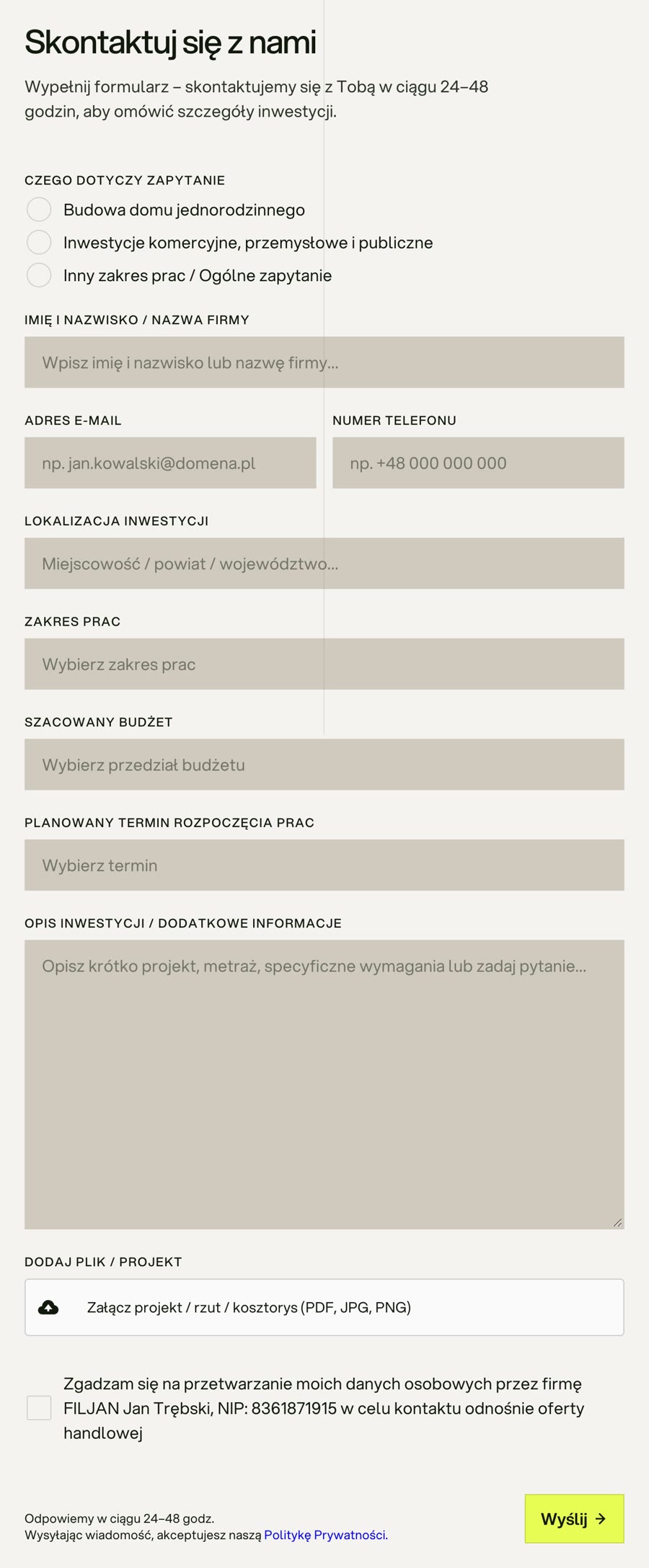
An example from my work: the website for the construction company Filjan Bud was built in 4 weeks from the first call. The most important element is a form with 5 questions, including the scope of work, budget, timeline and construction site location. Thanks to that, the company receives inquiries it can answer with a quote right away, instead of following up by email. The full project is described in the construction company website case study (in Polish).
When choosing a freelancer or agency, look at three things: projects similar to your site, a clear quote before work starts, and who the domain and accounts will be registered to. With me, the site, accounts and code belong to the client, and after launch you pay only for hours worked, with no subscription. Details are on the website development page.
What each route costs over 3 years
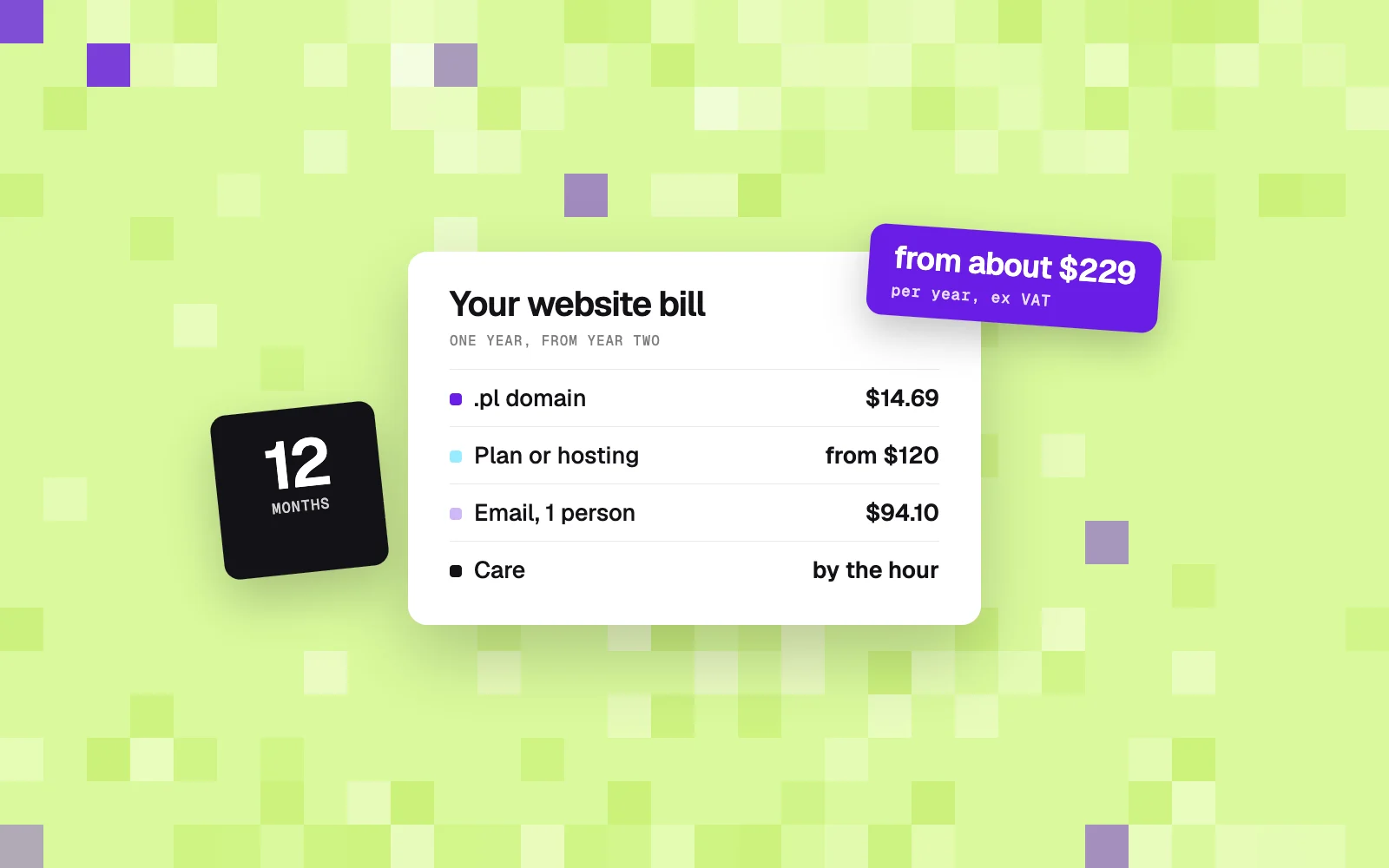
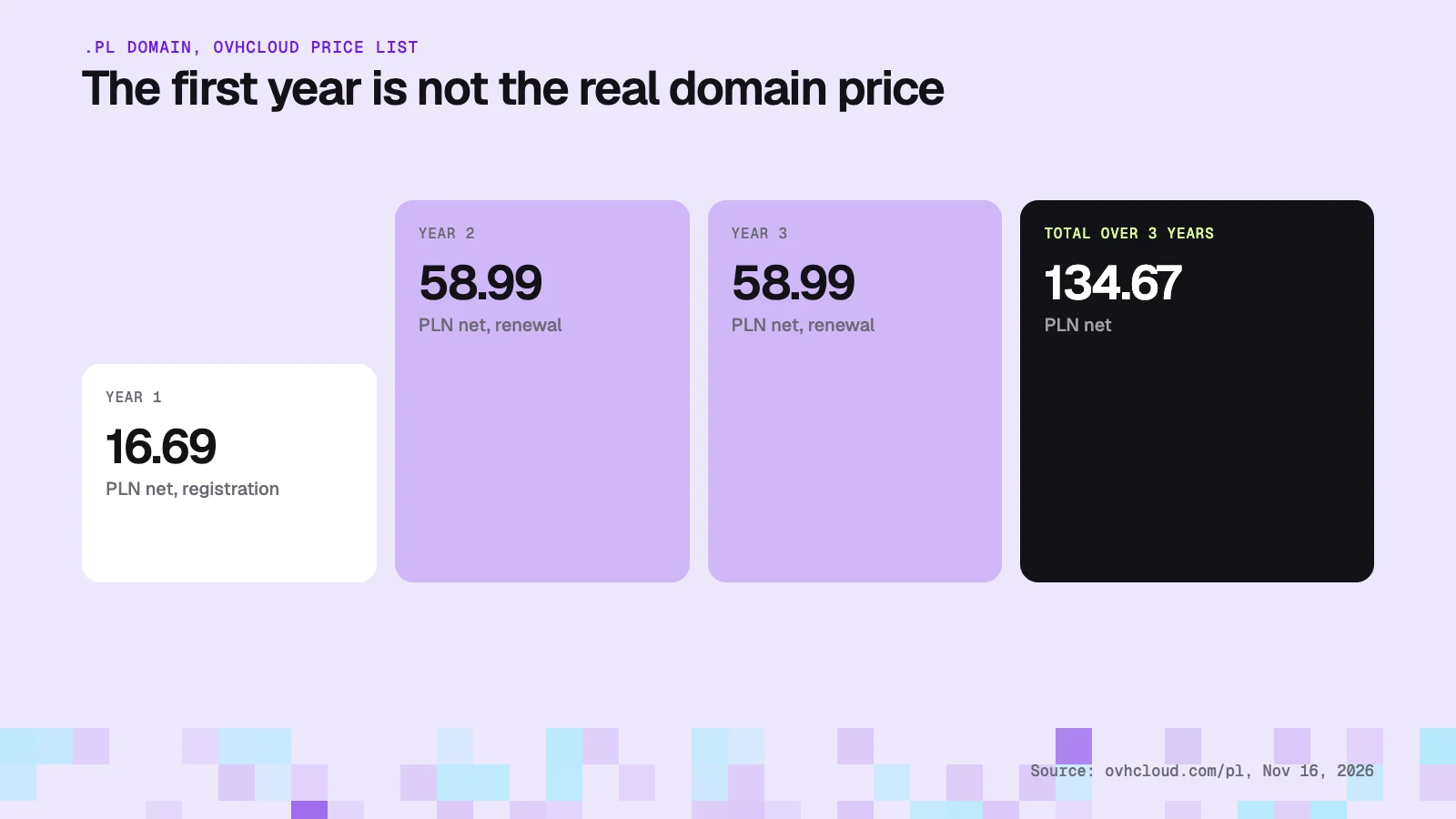
Over 3 years, the platform alone costs from about 144 USD (WordPress.com Personal billed yearly) to 1,080 USD (Framer Pro). Then there is the domain: a Polish .pl domain at OVHcloud costs PLN 16.69 net for the first year and PLN 58.99 net for each renewal, which is PLN 134.67 net over 3 years. A freelancer or agency adds a one-off cost of a few thousand to over ten thousand PLN.
The first year can be misleading, because discounts on domains and plans are deep, while renewals are charged at full price. Below is the calculation for 36 months based on list prices.
| Platform and plan | Monthly price (billed yearly) | Plan cost over 36 months |
|---|---|---|
| WordPress.com Personal | 4 USD | 144 USD |
| WordPress.com Premium | 8 USD | 288 USD |
| Framer Basic | 10 USD | 360 USD |
| Webflow Basic | 15 USD | 540 USD |
| Webflow CMS | 25 USD | 900 USD |
| Framer Pro | 30 USD | 1,080 USD |
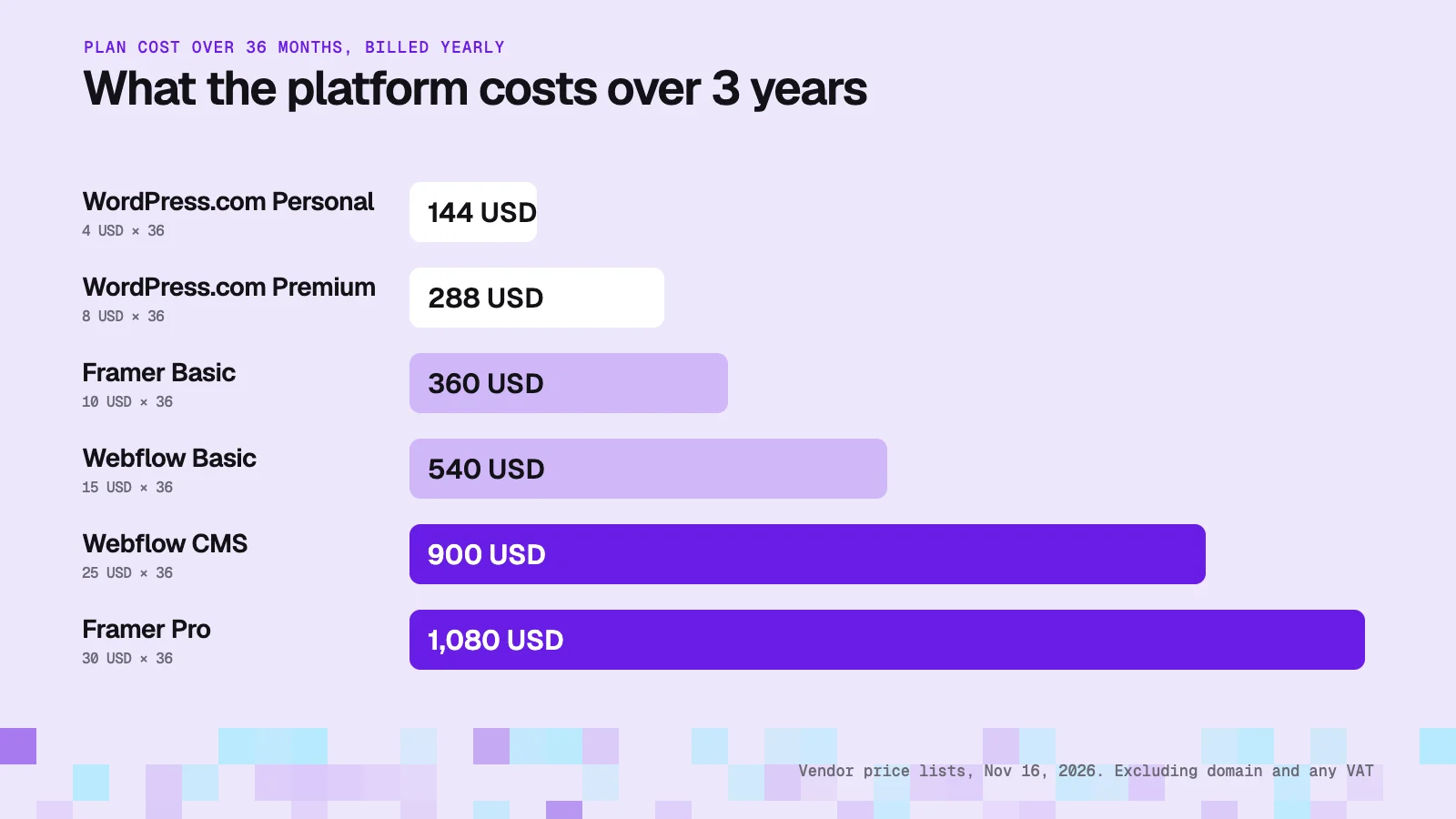
Monthly billing raises the bill significantly. WordPress.com Personal costs 9 USD when paid monthly, which is 324 USD over 3 years instead of 144 USD. If you know the site will stay, pay yearly.
The domain is a separate line item, and it pays to check the renewal price, not just the first year. Prices for a .pl domain at Polish registrars:
| Registrar | First year (.pl) | Renewal | Source |
|---|---|---|---|
| home.pl | PLN 0.99 net (promotion) | Not shown on the page, refers to the price list | home.pl |
| cyber_Folks | PLN 9.90 net | Check the price list before buying | cyber_Folks |
| OVHcloud | PLN 16.69 net | PLN 58.99 net | OVHcloud |
There are a lot of .pl domains and the market is mature: according to the NASK annual report, at the end of 2025 there were 2,559,869 active .pl names in the DNS. A good short name with your company name may already be taken, so check it before you order a logo and business cards.
How to make a website quickly and what to check before launch
You will make a website fastest when you have the content, photos and a decision on which pages you need ready. Then a simple site in a builder can be done in a day, and a site from a freelancer or agency in a few weeks, like Filjan Bud in 4 weeks. Without content every route takes longer, because content is the hardest part.
Pre-launch checklist, whatever the route:
| Area | What to check | Why |
|---|---|---|
| Domain | The company is the registrant, auto-renewal is on | An expired domain means the site and email go down |
| Accounts | Builder, hosting and Google on a company email | Nothing is lost when you part ways with a contractor |
| Form | Messages arrive, the questions help you quote | An inquiry without details means another round of emails |
| Mobile | The site works and reads well on a phone | Many customers will arrive from search on their phone |
| Privacy | Privacy policy, notice next to the form | Required by the GDPR when you collect data |
| Cookies | Consent before analytics and advertising | Required by Polish electronic communications law |
| Search Console, Google Business Profile | Faster appearance in search results and Maps | |
| Backups | A backup or version history | A mistake while editing can be undone |
The legal minimum in Poland
Cookies in Poland are governed by Art. 399 of the Electronic Communications Law (Prawo komunikacji elektronicznej, Journal of Laws 2024, item 1221). Storing information on a user's device, or accessing it, requires the user's consent after being informed first, except for files strictly necessary for the site to work. In practice, you turn on analytics and advertising tools only after consent in the banner.
A contact form collects personal data, so it needs the information required by Art. 13 of the GDPR: who the controller is, for what purpose the data is processed and what rights the person writing has. The simplest way is a short note under the form with a link to the privacy policy. This is not legal advice; for unusual data processing, ask a lawyer.
Who owns the website: domain, accounts and content
The owner of a website is whoever the domain and accounts are registered to: at the registrar, in the builder or with the hosting company. If a contractor registers them in their own name, formally the site belongs to them, even if you paid for it. When you switch contractors or part ways on bad terms, it is the accounts that decide whether the site stays with you.
Check this on every one of the three routes, ideally before you buy anything:
| Item | Who it should be registered to | What happens if it belongs to someone else |
|---|---|---|
| Domain | The company as registrant, with a company email in the details | Without the registrant's consent you cannot transfer the domain or email |
| Builder or hosting account | The company, with the contractor added as a collaborator | After parting ways you have to ask for the account to be handed over |
| Google account (Search Console, Analytics, Business Profile) | The company | You lose the history of traffic and inquiry data |
| Content and photos | The company, with the right to use the photos | Risk that stock photo licenses expire or were never licensed |
| Code, if the site is built in code | A repository on the company's account | Every change requires the same contractor |
A simple rule: the contractor works on your accounts, not you on theirs. A good contractor will have no problem with that. If someone insists the accounts must be in their name, treat it as a warning sign.
The most common mistakes when a business builds its own website
The most common mistake with a DIY website is starting from a template instead of from the content. The second is a site that describes the business but does not say what to do next. The third is having nobody who will keep the site updated after launch. Each of them can be fixed at little cost if you know about it before you publish.
| Mistake | How to spot it | What to do |
|---|---|---|
| Template before content | Copy is written to fill empty blocks and sounds generic | First write down your offer and case studies, then pick a template |
| No call to action | The home page has no button or form on the first screen | One main button: request a quote or call |
| Form without questions | Inquiries arrive as "please contact me" | Add 3–5 questions that help you quote right away |
| Domain on a personal account | The registrant details show an employee's private email | Transfer the registrant to the company |
| Site with no owner | Last change a year ago, old prices and case studies | Agree who updates the site and how often |
| No Search Console | You do not know which searches the site shows up for, or whether it shows up at all | Verify the domain in Search Console on launch day |
A form with questions is the cheapest fix on this list. At Filjan Bud, five questions about scope, budget, timeline and location mean every inquiry already contains what the company needs to prepare a quote.
Which route to choose: criteria
Choose a builder if you have time, a simple offer and a budget close to zero. Choose WordPress if you need features builders do not have and you have someone to maintain it. Choose a freelancer or agency if the site has to bring in inquiries regularly and every hour of your time is worth more than an hour of theirs.
| Your situation | Best route | Why |
|---|---|---|
| Sole trader, a few services, little time and budget | Builder, basic plan | Lowest cost, a site in a few days |
| Service business that wants inquiries from Google | Freelancer or agency, then your own edits | Structure and form built for sales |
| Business with a blog and case studies edited by the team | Webflow or Framer with a CMS | Editing without a developer, hosting included |
| Store with hundreds of products | WordPress with WooCommerce or an e-commerce platform | Store features, payments, inventory |
| You already have a site, but it brings no inquiries | An audit, then a rebuild | First you need to know what is not working |
One note on tools: if you are comparing builders against each other (Webflow, Framer, Wix, WordPress), that topic deserves a separate comparison. Here it is enough to choose your route.
Before you decide, you can find out what to improve on your current site. I do a free audit: a 5–10 minute recording with three things to fix. You can request it through the contact form. I reply within 1 business day.
Frequently asked questions
Can I make a website myself?
Yes. Builders such as Webflow, Framer, Wix or WordPress.com let you make a site without coding. Technically it is a day's work, and most of the time goes into the content. A DIY site makes sense for a simple offer; when the site has to bring in inquiries, it is worth getting at least the structure and form reviewed.
How do I make a website for free?
You create an account in a builder with a free plan and publish the site at an address with the platform's name. A custom domain and removing the builder's logo require a paid plan, in November 2026 from 4 USD a month billed yearly on WordPress.com. A Google Business Profile is also free.
How do I create a website step by step?
Write the content, choose a tool (builder, WordPress or a freelancer or agency), buy a domain in the company's name, build 4–6 pages, set up the form, add a privacy policy and cookie banner, publish and submit the site in Google Search Console. The order matters: content before the template.
Where should I create a website for my business?
A simple brochure site in a builder such as Wix or Squarespace. A site with a blog and case studies in Webflow or Framer. A store or a site with user accounts on WordPress or an e-commerce platform. Buy the domain from a registrar where the company will be the registrant.
How much does it cost to create a website?
A builder plan alone costs, in November 2026, from 4 to 30 USD a month billed yearly, plus a .pl domain from a few to several dozen PLN a year. A site from a freelancer or agency usually costs from a few thousand to over ten thousand PLN net; in my projects, PLN 3,000–15,000 net.
How can I make a website quickly?
Prepare the content and photos before you open the builder, and limit the site to 4–6 pages at launch. A simple site in a builder can be ready in one day. A site from a freelancer or agency usually takes a few weeks; Filjan Bud was built in 4 weeks from the first call.
Who should a business website domain be registered to?
To the company, as the domain registrant, with a company email address. If a contractor sets up the domain and accounts, ask for them to be in your company's name from the start. Turn on auto-renewal, because an expired domain takes down both the site and email.
Does a business website need a privacy policy and cookie banner?
If the site has a contact form or uses analytics or ads, yes. The form collects personal data, so you need the information required by Art. 13 of the GDPR. In Poland, analytics and advertising cookies require consent under Art. 399 of the Electronic Communications Law.