What is Webflow? How it works, who it suits and when it's the wrong choice (2026)
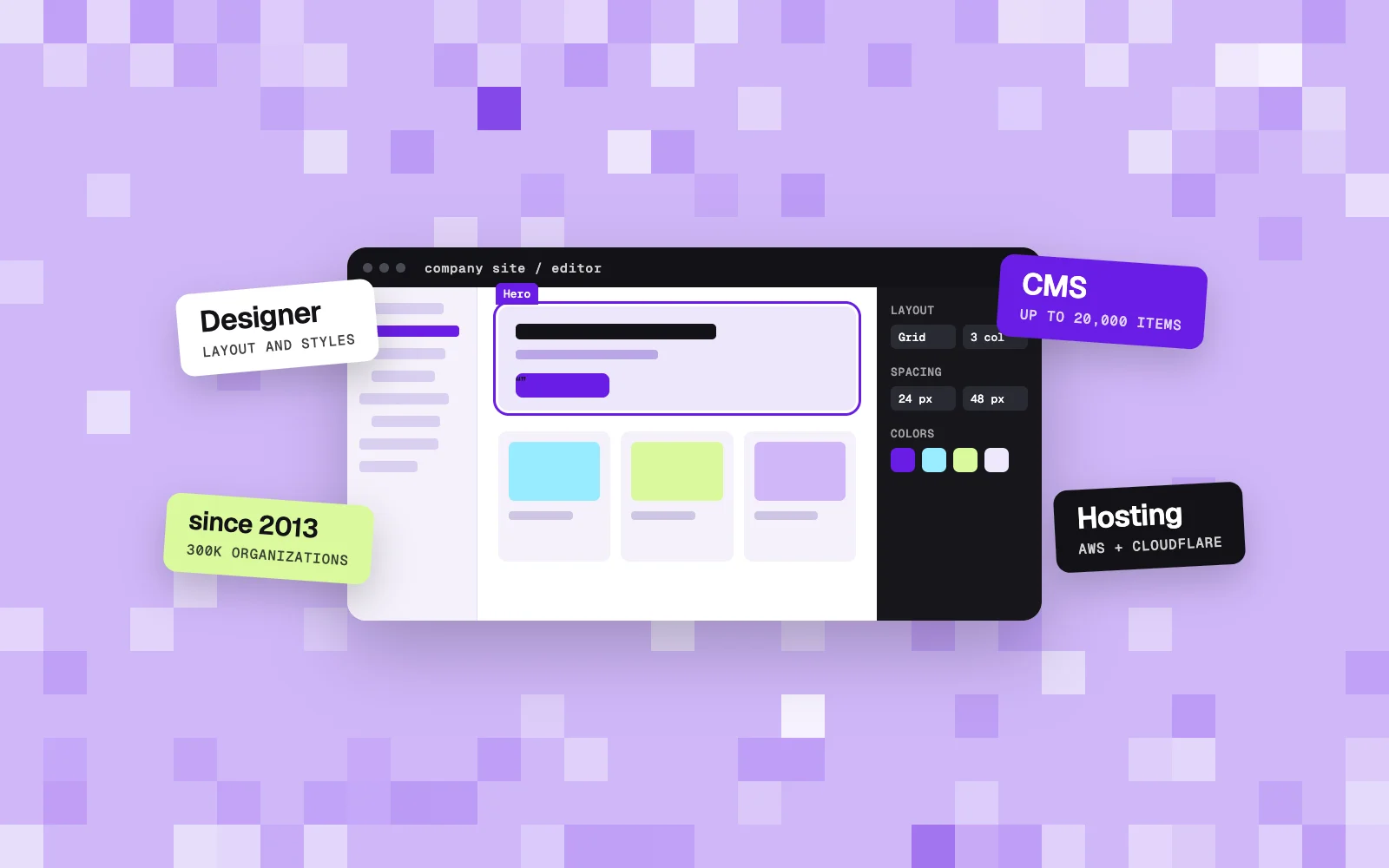
Webflow is a platform for building websites in the browser: a visual editor, a content system (CMS) and hosting in one subscription. It was founded in 2013, is used by 300,000 organizations and runs 0.8% of all websites. It suits company sites with a blog, case studies and many pages built from one template. It is the wrong choice for a large store, an app with logins, a very small budget, and anyone who wants to self-host a site with a CMS. Figures come from the Webflow price list and W3Techs on 20 November 2026.
"What is Webflow?" is the question I hear most from business owners who were just offered a site built in it and want to know what they are signing up for. It is the right moment to ask. The platform decides what you pay every year, who can change a line of text on the site, and how hard it will be to move out one day.
Before writing, I read the guides that rank for this question. Most come from Webflow agencies. They describe the features correctly, but many quote old prices and plan names (CMS, Business) that are no longer on the price list, and almost none say plainly when Webflow is a bad choice.
I'm Max Miskow. I have built websites in Webflow, Framer and code for 5 years, across more than 30 projects. I earn money from Webflow sites, so I have a reason to praise it. That is why every figure here comes from Webflow's own pricing and product pages or from independent W3Techs data, and why the section on when Webflow doesn't pay off is as long as the one on its strengths.
What is Webflow: the short answer
Webflow is a website platform that combines three things in one subscription: a visual editor (the Designer), a content management system (CMS) and hosting. You build the site in a browser with nothing to install, and Webflow turns the design into HTML, CSS and JavaScript and publishes it on its own servers.
What separates it from builders like Wix is the level of control. In Webflow you set the same properties a developer writes in code (margins, grid, classes, breakpoints for phones), except you click them in a panel. The price is a steeper start: it is a tool for designers and developers, not a builder for a single evening.
| Fact | Value | Source (as of 20 Nov 2026) |
|---|---|---|
| Year founded | 2013 | Webflow "About" page |
| Organizations using Webflow | 300,000 | Webflow "About" page |
| Funding to date | $335M | Webflow "About" page |
| Share of websites with a known CMS | 1.2% | W3Techs |
| Share of all websites | 0.8% | W3Techs |
| Hosting infrastructure | AWS and Cloudflare, 99.99% uptime as stated | Webflow hosting page |
| Ready-made templates | more than 7,000 | Webflow template catalog |
| Cheapest paid site plan | $15 a month, billed yearly | Webflow pricing |
Company figures come from the About Webflow page and market share from the W3Techs report on Webflow. For scale, WordPress runs 38.5% of all websites. So Webflow is a niche tool, but in its niche, the sites of tech companies, service firms and brands, it is very popular.
How Webflow works: Designer, CMS and hosting
Webflow works like three connected tools. The Designer is where the look and layout are made, the CMS holds content that repeats (posts, case studies, listings), and hosting publishes everything on your domain. You run all of it from one account in the browser, with no server, plugins or updates to look after.
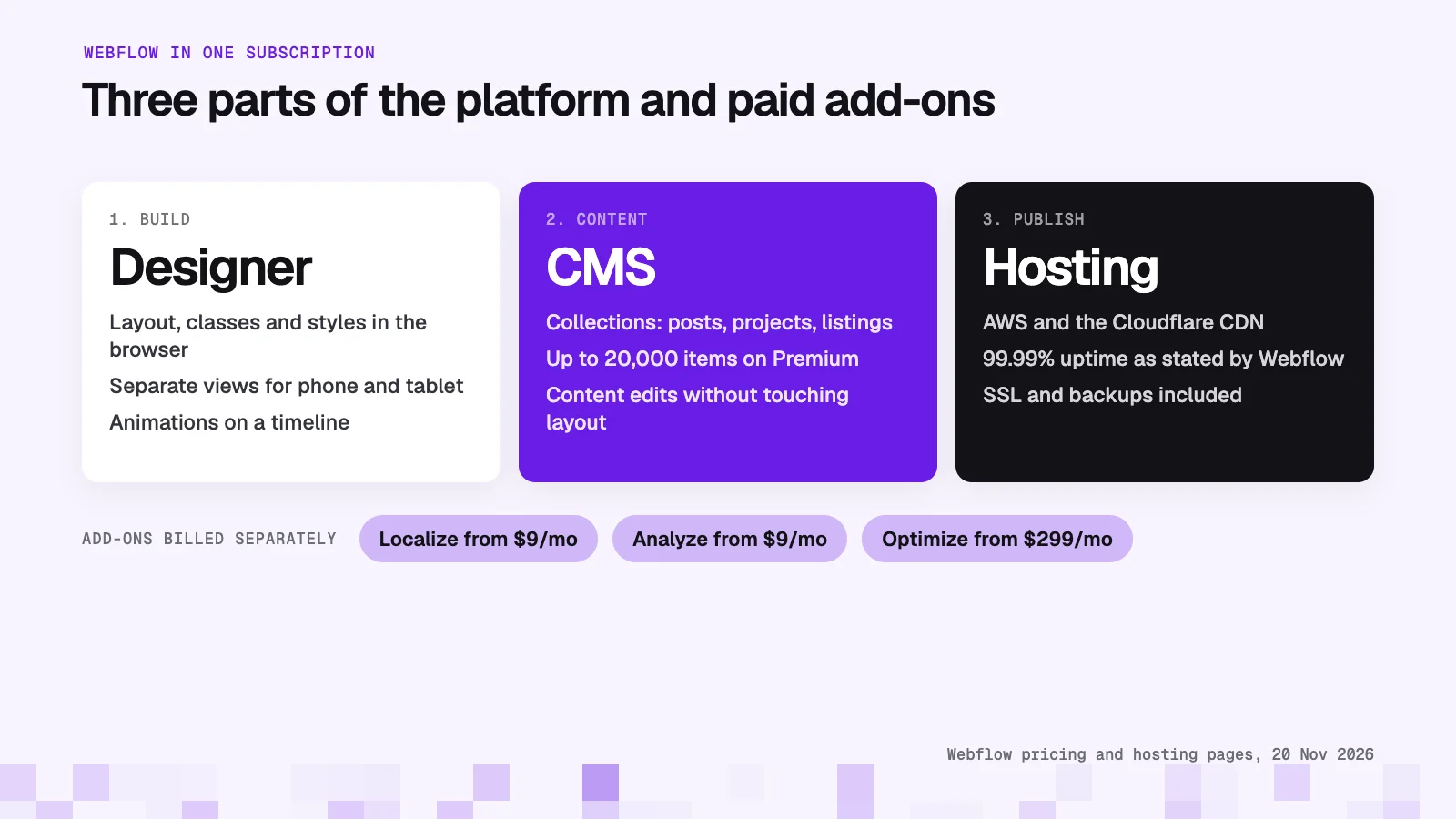
Designer. This is the editor where the person building the site lays out sections, gives them classes and sets the look for desktop, tablet and phone. Interactions and animations are built visually too, on a timeline. Anyone who knows HTML and CSS settles in fast, because the style panel maps to CSS properties one to one.
CMS. Here you define collections: content types with their own fields. You design the template for a post or a case study once, and every new item gets its own page automatically. The person handling content edits text and photos in a simple edit mode, without access to the layout, so they can't break the design.
Hosting. According to the Webflow hosting page, sites run on AWS infrastructure with the Cloudflare CDN, and the company states 99.99% uptime. An SSL certificate comes with every plan and renews by itself. Backups are created automatically and restored with one click.
Webflow CMS: how it works and what its limits are
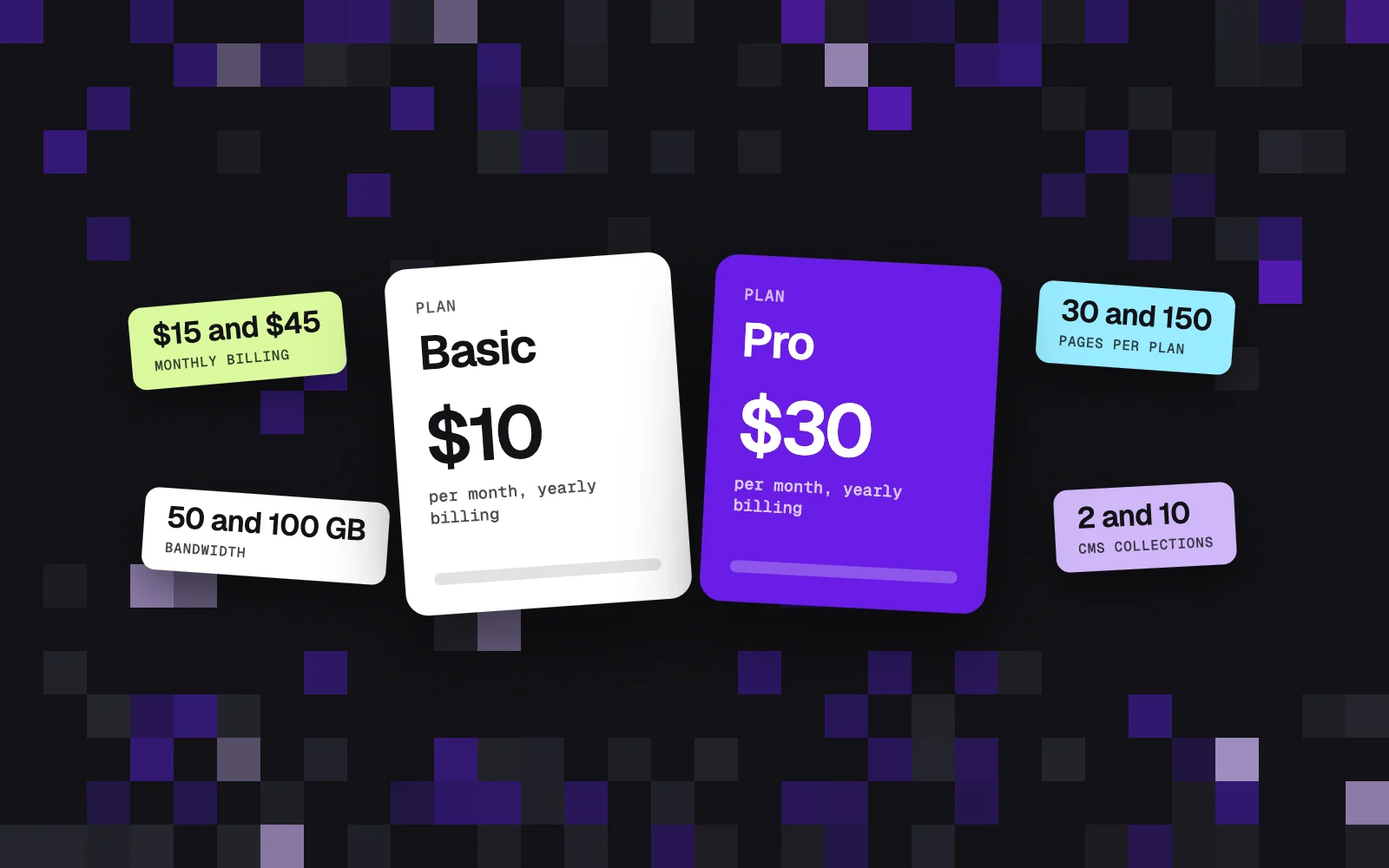
Webflow CMS is the built-in content system, and the full version starts with the Premium plan at $25 a month billed yearly. It holds up to 20,000 items in 40 collections. The $15 Basic plan has no CMS at all, and the free Starter plan has a trial version capped at 50 items.
If the site will have a blog, case studies, job listings or anything else you will add to yourself, you need Premium. Limits from the official Webflow pricing page, as of 20 November 2026:
| Starter | Basic | Premium | |
|---|---|---|---|
| Price, billed yearly | $0 | $15/mo | $25/mo |
| Price, billed monthly | $0 | $25/mo | $39/mo |
| Custom domain | no, webflow.io address only | yes | yes |
| Static pages | 2 | 300 | 300 |
| CMS items | 50 | no CMS | 20,000 |
| CMS collections | 20 | no CMS | 40 |
| Bandwidth per month | 1 GB | 10 GB | from 50 GB, up to 2.5 TB for a fee |
| Form submissions | 50 per site | unlimited | unlimited |
| Site search | no | no | yes |
Prices are in US dollars, per site, and tax is added at checkout.
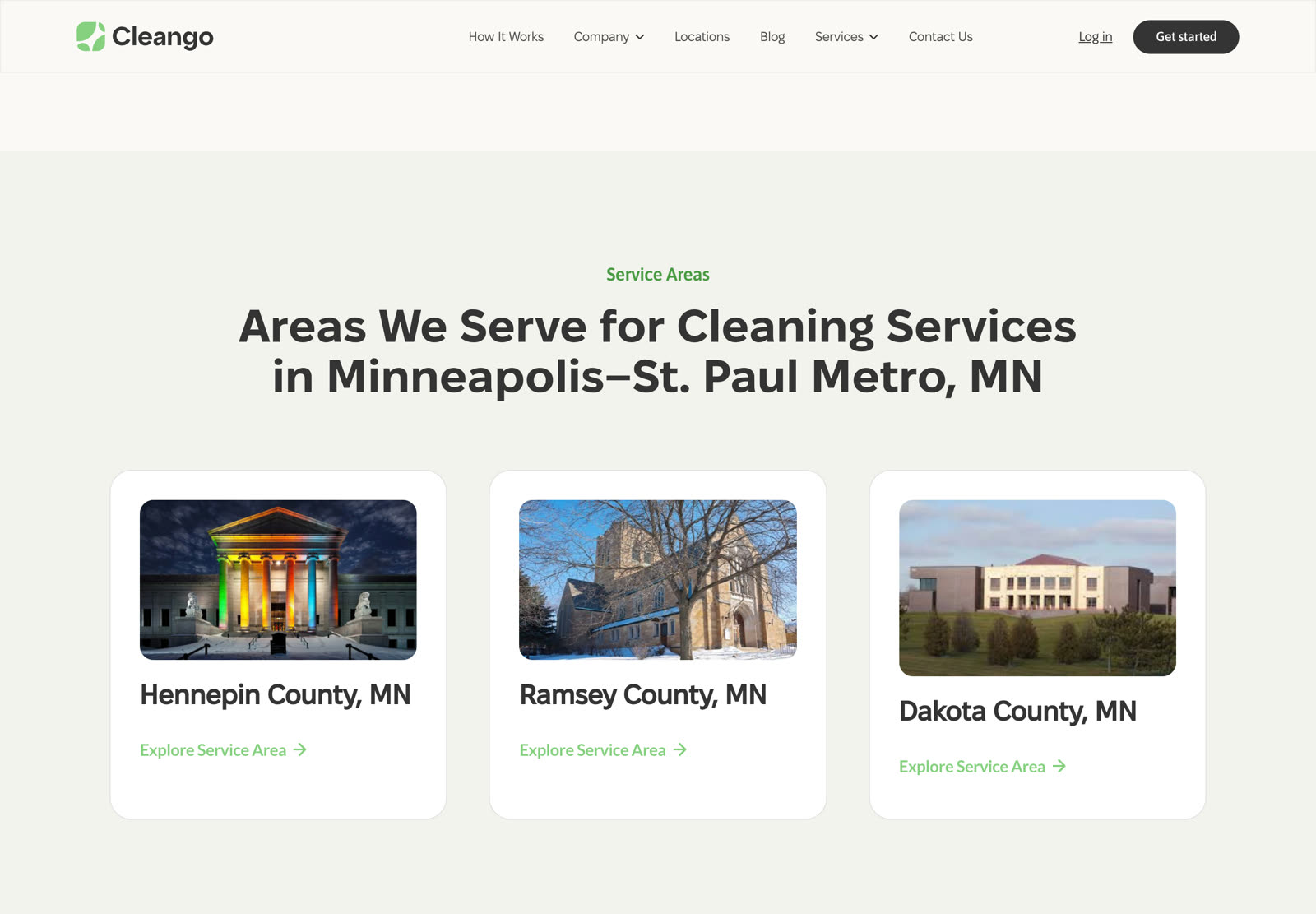
For Cleango, a US cleaning company, I built 324 local pages in Webflow: one for every city, county and neighborhood. All of them run on a handful of templates fed by CMS collections. Changing a phone number or a section in a template fixes every page in that family at once.
Who Webflow is for
Webflow fits companies that want a site shaped around their brand, add content themselves and don't want to look after a server or plugins. The typical client is a service business, a tech company or an expert whose site has a dozen to a few hundred pages, a blog or case studies, and a contact form as the main goal.
| Situation | Does Webflow fit | Why |
|---|---|---|
| Company site with a blog and case studies | Yes | Premium: 20,000 CMS items, content edits without touching the layout |
| Many similar pages (cities, services, listings) | Yes | One CMS template generates them all, like Cleango's 324 pages |
| Landing pages for a marketing team | Yes | Marketers build pages from approved components, without a developer |
| A site in 2 to 4 languages | Yes, for a fee | The Localize add-on from $9 a month, up to 3 locales on Essential |
| A simple brochure site you change once a year | Probably not | You pay at least $180 a year for power you won't use |
| A store with hundreds of products | Probably not | A separate ecommerce plan from $29, with a 2% fee on the cheapest |
| An app with user accounts | No | Webflow builds websites, not application logic |
| A portal with more than 20,000 articles | Not on a standard plan | Above the Premium limit only contract plans remain |
If your case is in the top half of the table, Webflow is a sensible candidate. It is how I build most company sites as part of website design and development. If it is in the bottom half, read the next section.
When Webflow is the wrong choice
Webflow doesn't pay off in six situations: a large store, an app with logins, a very small running budget, many languages with little traffic, content counted in tens of thousands of items, and when you want to self-host a site with a CMS. In each of them a cheaper or better-fitting tool exists.
1. A large online store. A store in Webflow needs a separate plan: Standard at $29 a month (500 products, a 2% transaction fee), Plus at $74 (5,000 products) or Advanced at $212 (15,000 products), all billed yearly. Dedicated store platforms have more payment and shipping integrations. Webflow works for a store with a dozen or so products next to a brand site.
2. An app or a members area. Webflow makes marketing websites. A customer portal, bookings with accounts or paid content for logged-in users is a job for a web app, which can sit next to a Webflow site but can't be built in it.
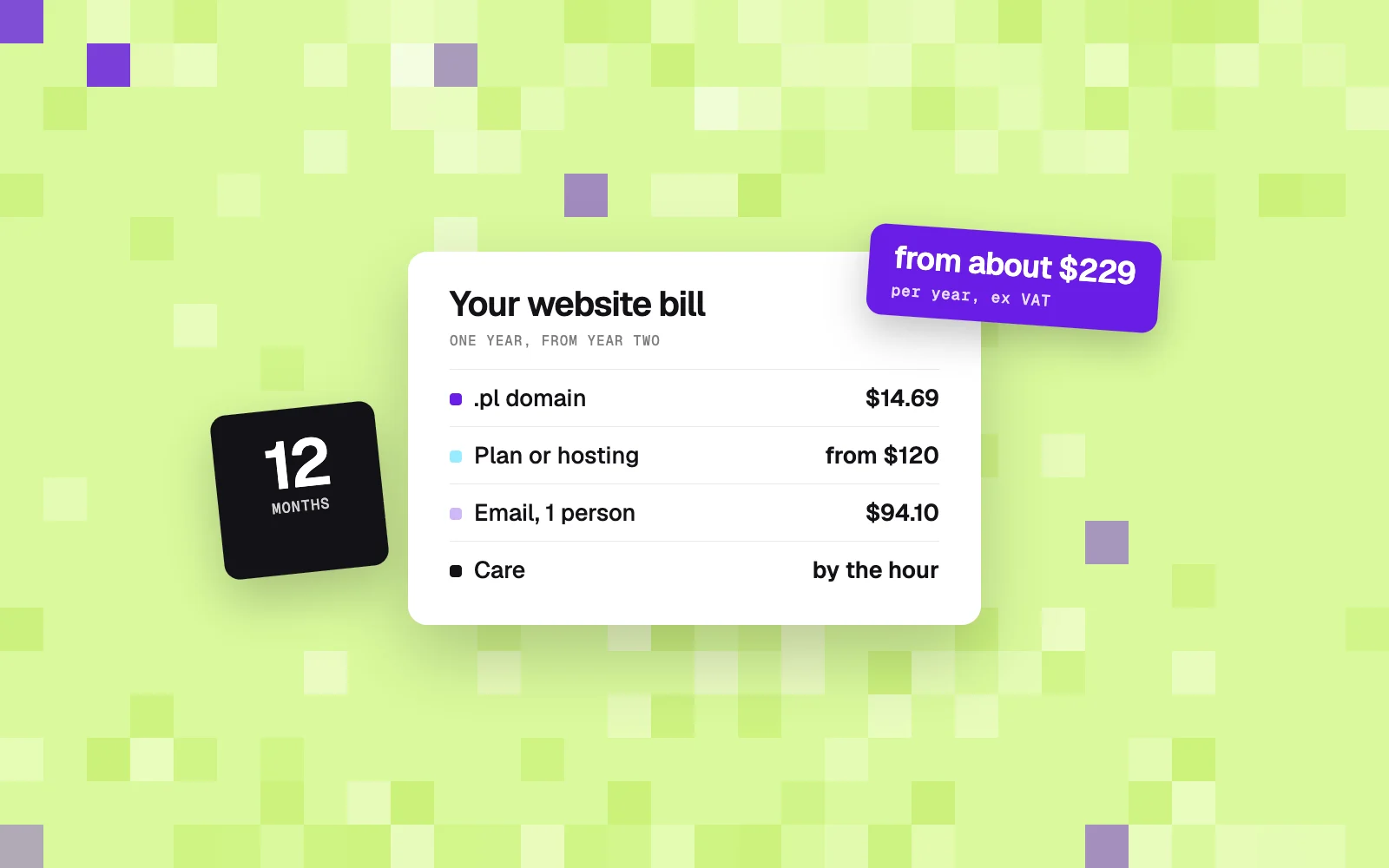
3. A very small running budget. The cheapest site on your own domain is $180 a year, and $300 with the CMS. A domain and email come on top. A brochure site without a blog can be kept running for less on other platforms.
4. Many languages with little traffic. The Localize Essential add-on starts at $9 a month, depending on the number of locales, and covers up to 3. The Advanced tier, from $29 a month, allows up to 10 and lets you translate URLs. One extra language is at least $108 a year on top of the site plan, and with little foreign traffic that cost takes a long time to earn back.
5. Tens of thousands of content items. The Premium limit is 20,000 CMS items. More can be added only on the Team plan at $2,500 a month with an annual contract, or on Enterprise with custom pricing. For a news portal that usually ends the conversation.
6. You want your own server and a CMS together. The site's code can be exported, but CMS content and forms don't leave with it. I describe this in the next section.
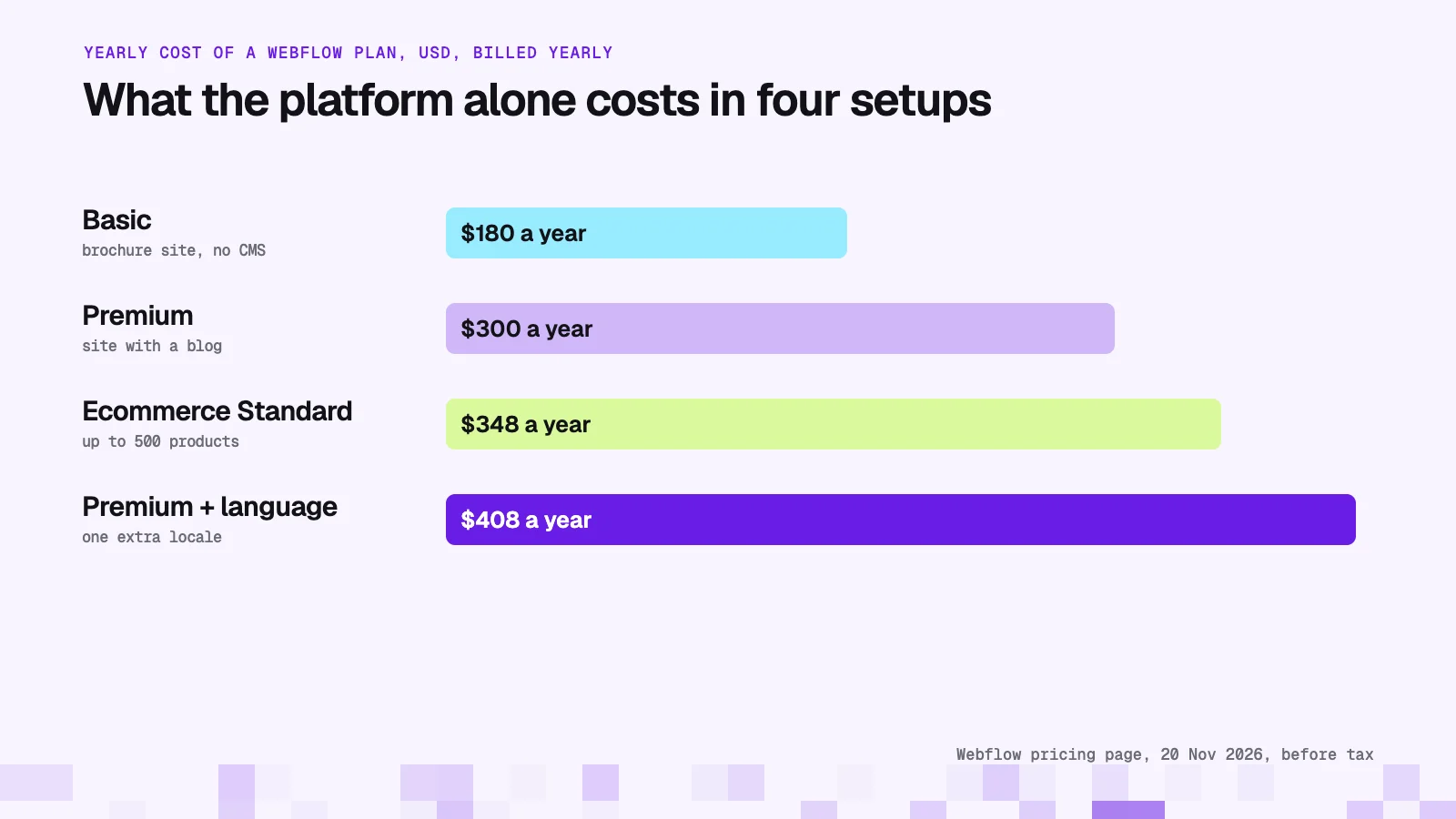
| Setup | Per month, billed yearly | Per year | Over 3 years |
|---|---|---|---|
| Basic, brochure site without CMS | $15 | $180 | $540 |
| Premium, site with a blog | $25 | $300 | $900 |
| Ecommerce Standard | $29 | $348 | $1,044 |
| Premium and one extra language | $34 | $408 | $1,224 |
I worked these out from yearly billing prices on the Webflow pricing page. They leave out the domain, email and the work on the site itself.
Can you leave Webflow: code export
Yes, but only partly. Webflow lets you export the site's HTML and CSS if you have a paid Workspace plan (Core costs $19 a month billed yearly). The export does not include CMS content as working pages, forms stop working, and exported code can't be loaded back in.
The Webflow pricing page says so in its questions section: dynamic content has to be exported collection by collection, forms stop working after export, and exported code can't be reimported.
| Site on Webflow hosting | Site exported to your own server | |
|---|---|---|
| Fee to Webflow | $180 to $300 a year for the site plan | $0 for a site plan; the export itself needs a paid Workspace plan |
| Editing in the Designer | Yes, changes go live with one click | Only in the project, followed by a new export and upload |
| CMS and content edits by the client | Yes | No, collection pages don't export as working pages |
| Forms | Work out of the box | You have to write your own handling |
| Server, SSL, backups | Webflow's job | Yours, or your developer's |
| Best for | A company that changes content often | A site with a few pages that rarely changes |
This is how I built the site for Filjan Bud, a building contractor from central Poland. The owner wanted a site that looked like a serious contractor within a few weeks, and he didn't want to pay for Webflow hosting every year. I proposed a proven Webflow template, laid its pages out in Figma so the owner could type his copy straight into the layout, built everything in Webflow and exported it to its own server. It took 4 weeks from the first conversation to launch.
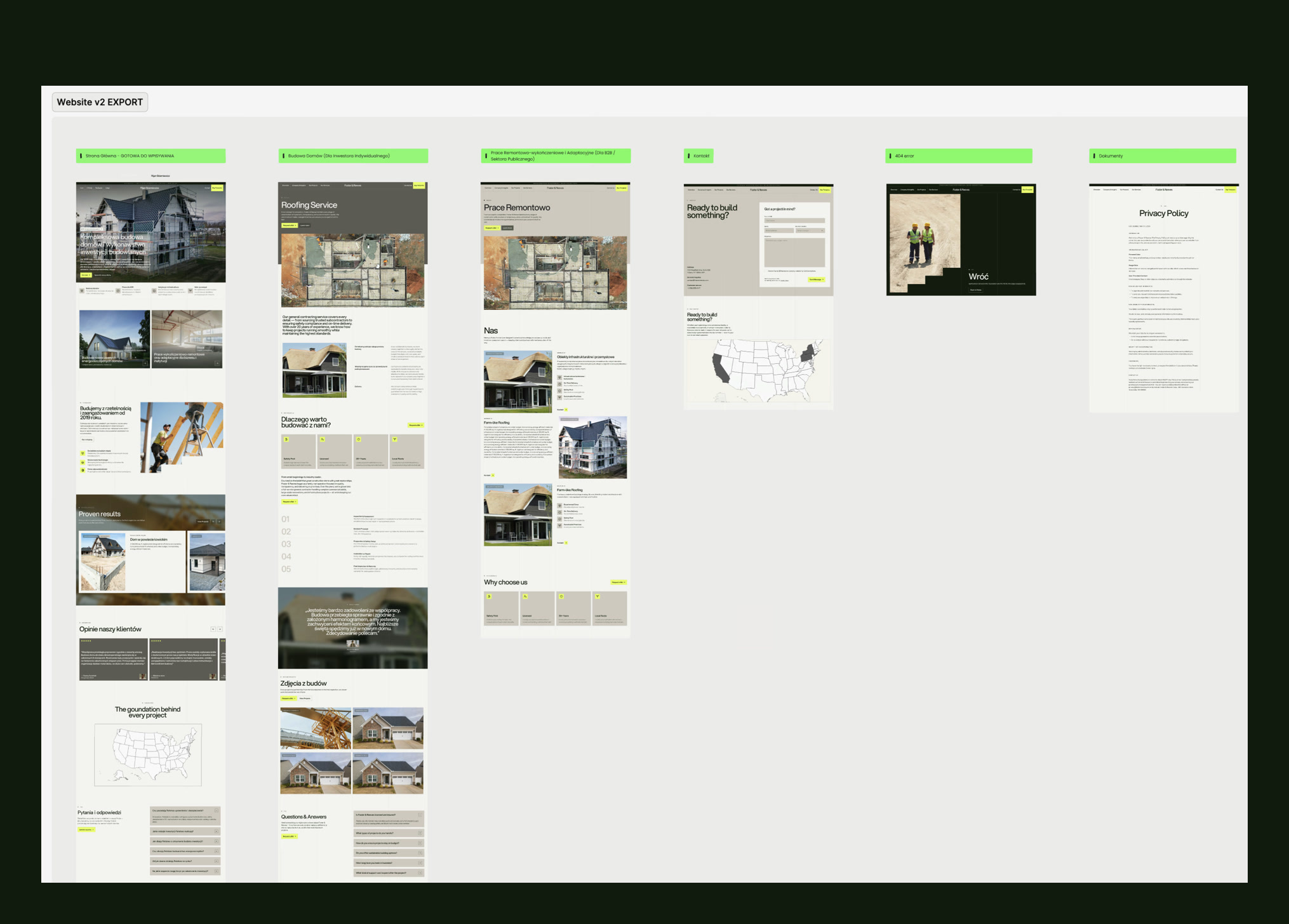
Because Webflow forms stop working after export, I wrote a small backend for this site. The form asks 5 questions, including scope, budget, deadline and location, so the owner knows what kind of job it is before he calls back. The full write-up is in the building contractor website case study (in Polish). This route makes sense for a few pages without a blog. A site with a CMS either stays on Webflow hosting or goes through a Webflow to code migration as a separate project.
Webflow templates: is starting from a ready-made one worth it
Yes, when deadline and budget matter. The Webflow template catalog lists more than 7,000 free and paid templates. A good template cuts design time from weeks to days, but it needs cleaning afterwards: removing unused pages, styles and sample content, and replacing the sharing images.
A template has two traps: looking like everyone else if you leave the layout untouched, and messy class names that slow down later changes. With Filjan Bud the template made a one-month timeline possible, because the owner's copy and photos dropped into ready sections.
If you already have a design in Figma, Webflow offers a Figma to Webflow plugin that brings layouts into the Designer, and the rest is finished by hand.
Webflow AI and Webflow MCP: what they can do in 2026
Webflow AI is a set of features built into the platform: generating a site from a prompt, designing sections in your site's style, writing first drafts of copy, creating CMS items and running SEO audits. It draws on a credit pool tied to the Workspace plan: 200 credits a month on the free Starter, 300 on Core and 400 on Growth.
Webflow MCP is a server that connects a Webflow account to outside AI assistants. According to the Webflow MCP page, it lets tools like Claude and ChatGPT take action for you: build pages that follow your design system, create CMS content and edit interactions. On the pricing page the MCP server is listed in every site plan, the free one included.
I work with these tools, but I check every change myself before it goes live. AI handles repetitive work well, such as filling in descriptions across a collection. A generated site is a starting point, not a finished product.
Webflow review: pros and cons after 5 years of work
My view after 5 years: Webflow is the best choice for a company website that stays alive, meaning it keeps getting new content and pages, and a weak one for projects that grow beyond a marketing site. Is Webflow good for you depends on which column below weighs more. Each point comes with a fact you can check on Webflow's own pages.
| Pros | Cons |
|---|---|
| No plugins or updates: hosting, SSL and backups come with the plan | A subscription of $180 to $300 a year per site |
| Full control over layout and animation without writing code | A steep start for people who don't know HTML and CSS |
| CMS with up to 20,000 items and content edits by the client | CMS only from Premium, Basic has none |
| Hosting on AWS and Cloudflare with 99.99% stated uptime | No code import: there is no way back from an export |
| SEO tools in the panel: metadata from CMS fields, sitemap, redirects | Store and language versions are separate fees |
| Built-in AI and an MCP server on every plan | Above Premium limits, plans jump to thousands of dollars |
The praise I hear most from clients is about calm: nothing breaks after an update, because there is nothing to update. If your site already runs on Webflow and only needs ongoing changes, I do them as Webflow maintenance, billed by the hour.
Webflow vs Wix, Squarespace, Shopify, Elementor and Figma
Webflow competes with site builders (Wix, Squarespace), a store platform (Shopify) and a WordPress plugin (Elementor), and it works alongside Figma. The choice depends on who builds the site and whether the main goal is selling products or getting inquiries.
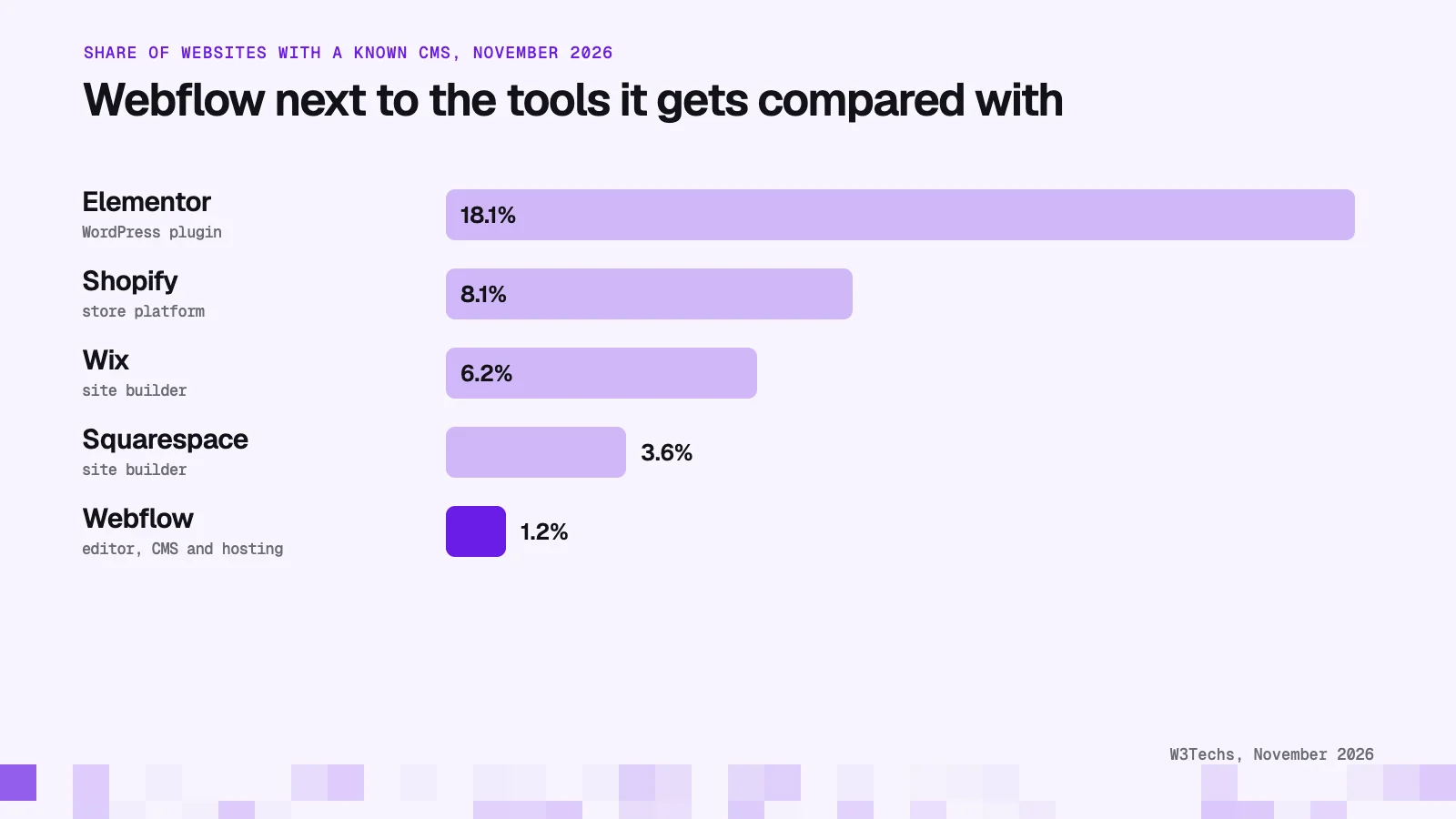
| Tool | What it is | Share of websites with a known CMS | When to pick it over Webflow |
|---|---|---|---|
| Webflow | Visual editor, CMS and hosting for professionals | 1.2% | The baseline |
| Wix | Site builder for people with no experience | 6.2% | You build it yourself and a ready layout is enough |
| Squarespace | Builder focused on polished ready-made templates | 3.6% | A portfolio or small service site you make yourself |
| Shopify | Store platform | 8.1% | The store is the main point of the site |
| Elementor | Visual editor as a WordPress plugin | 18.1% | You already have WordPress and a team that knows it |
| Figma | Design tool, doesn't publish websites | not applicable | Never instead: a Figma design gets built in Webflow |
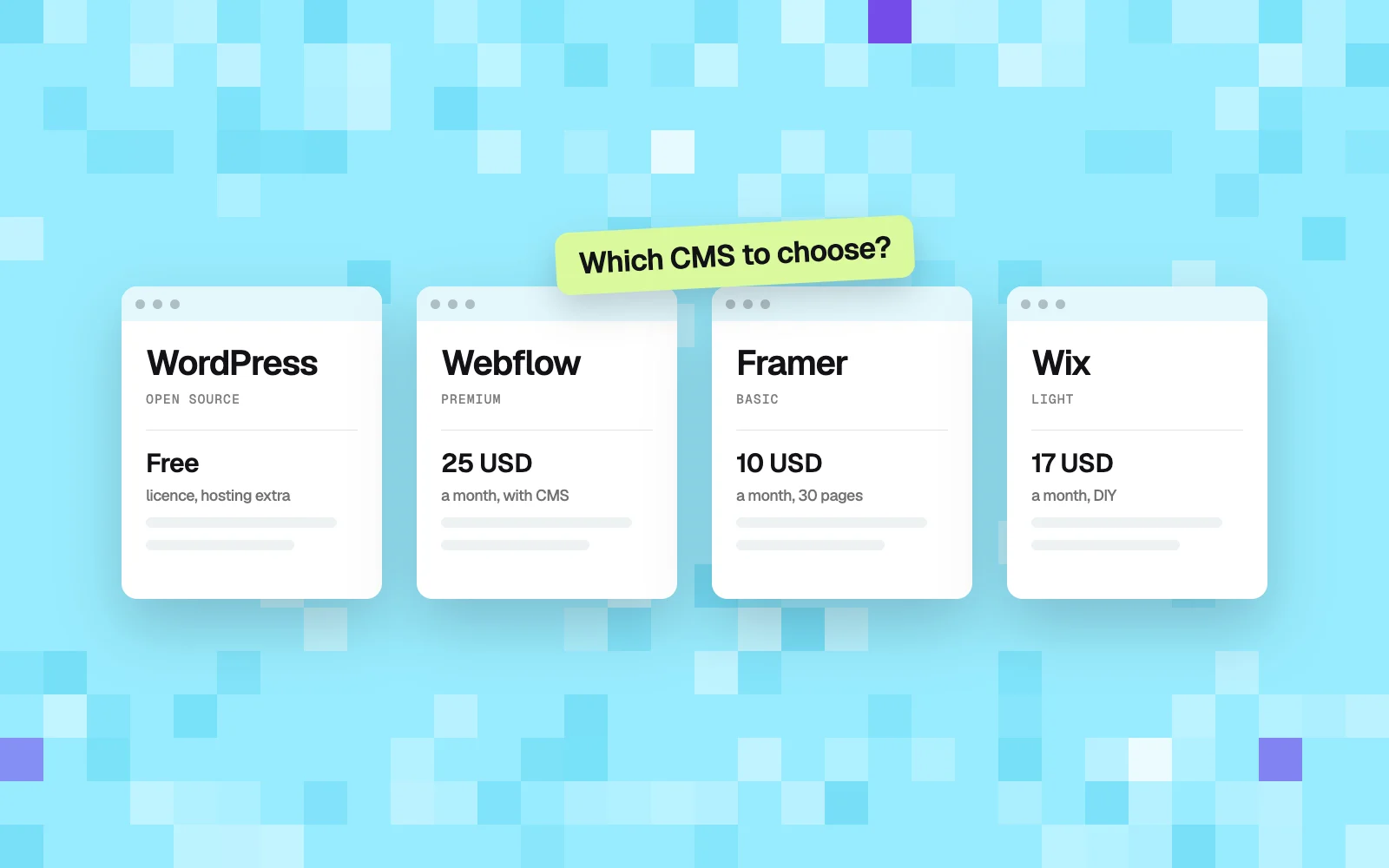
Shares come from the W3Techs overview and its Elementor report from November 2026. WordPress and Framer deserve their own comparisons; in one sentence, WordPress wins on plugins and available developers, and Framer on simplicity for small sites. If you have an old WordPress site and are thinking about a change, see what a WordPress to Webflow migration involves.
How long it takes to learn Webflow, and whether you can build the site yourself
You can learn the basics in a few hours, but building a good company site from scratch takes a working knowledge of HTML and CSS. Webflow University offers free courses: the introductory "Getting Started with Webflow" runs 23 minutes, and the "Webflow for Marketers" path 1 hour 21 minutes.
Editing content is a different matter: changing text or adding a CMS post takes fifteen minutes to learn. Building the layout, classes and phone versions is where beginners usually end up with a site that is hard to change later.
A sensible split: someone experienced builds the structure and templates, and the company adds content by itself. If you want to do everything yourself, start with a template and the free Starter plan, and buy a site plan only before you publish.
Checklist: 8 questions before you choose Webflow
Answer these before you decide. Three or more answers pointing to "doesn't fit" mean it is worth comparing Webflow with another platform.
- Will the site get new content every month? If so, you need Premium with the CMS ($300 a year).
- Who will change the content? If someone in the company, Webflow's edit mode is a plus.
- Do you sell products online? Above a few dozen products, look at a store platform.
- Do you need customer logins? If so, you need an app next to the site.
- How many languages do you plan? The Localize add-on starts at $9 a month.
- Does a subscription fit your budget for 3 years? Count $540 to $900 for the platform alone.
- Do you want to self-host the site one day? Without a CMS it is possible, with a CMS only partly.
- Who will build the site? Check that the builder hands the account and the project over to you.
The last point matters more than it looks. A Webflow site should sit on the client's account, so changing your developer means handing over access, not rebuilding. With me the site, the accounts and the code belong to the client from day one. If you want to check whether Webflow fits your project, write to me: I reply within 1 business day.
Frequently asked questions
What is Webflow used for?
Webflow is used to build and run websites in the browser. It combines a visual editor, a content system (CMS) and hosting. Most people use it for company sites, landing pages, blogs and small stores.
Is Webflow free?
Partly. The free Starter plan lets you build a site with 2 static pages and 50 CMS items and publish it on a webflow.io address. You can connect your own domain from the Basic plan at $15 a month billed yearly, and the CMS comes with Premium at $25.
Is Webflow a CMS?
Yes, and more than that. Webflow CMS is one part of the platform and handles repeating content such as posts, case studies or listings. On Premium it holds 20,000 items in 40 collections. Besides the CMS, Webflow includes a design editor and hosting, which classic content systems don't bundle.
How do I log in to Webflow (Webflow login)?
Go to webflow.com and choose "Log in". You sign in to the account the site is attached to. If someone built the site for you, ask for an invitation to the Workspace or for the site to be transferred to your account.
Is Webflow good for SEO?
Yes. Webflow gives you control over titles, descriptions, URLs, redirects, the sitemap and schema markup, and metadata for CMS pages can be filled automatically from collection fields.
Can I move a Webflow site to my own server?
Yes, if you have a paid Workspace plan that includes code export. The export covers HTML and CSS files. CMS pages don't export as working pages, and forms stop working, so their handling has to be written. Exported code can't be loaded back into Webflow.
Can I build an online store in Webflow?
Yes, on a separate ecommerce plan. Standard costs $29 a month billed yearly, holds 500 products and takes a 2% transaction fee. Plus and Advanced have no fee. For a large catalog a store platform is the better fit.
How much does a Webflow site cost per year?
The platform alone costs $180 a year on Basic or $300 on Premium with the CMS, billed yearly and before tax, according to the pricing page on 20 November 2026. A domain, email, any add-ons and the cost of designing and building the site come on top.